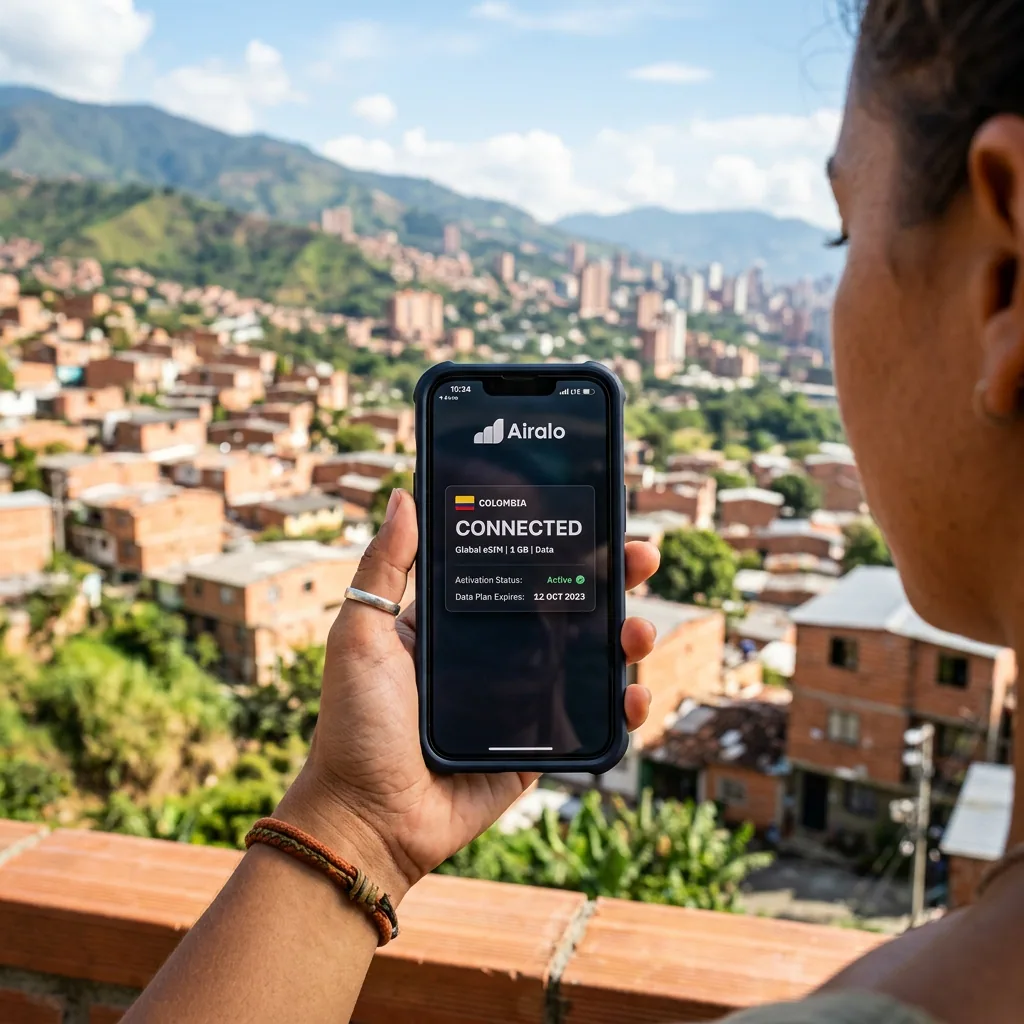
Reliable mobile data makes travel in Colombia easier, but no single connection method is best for every itinerary. A city break in Bogotá, a road trip through Boyacá, and a boat journey on the Pacific coast have very different coverage needs. In 2026, travelers can combine international roaming, an eSIM, a Colombian physical SIM, hotel Wi-Fi, and offline tools instead of depending on one provider for the entire trip.
The right choice depends on your phone, trip length, need for a Colombian number, expected data use, and time outside major cities. Check current prices and coverage directly with the carrier before purchase because packages and supported networks change frequently.
Choose Between Roaming, eSIM, and a Local SIM
International roaming is the simplest option when your home carrier offers a reasonable Colombia package. It preserves your usual number and requires little setup, but daily fees or data limits can become expensive on a longer trip. Confirm whether calls, text messages, hotspot use, and Colombia are included rather than assuming that a regional plan covers them.
An eSIM is useful for a compatible, unlocked phone. It can be installed before departure and activated when needed, while your physical SIM remains available for authentication messages. Some eSIM plans provide data only, so check whether you receive a Colombian phone number, can make conventional calls, or must use internet-based messaging.
A Colombian SIM can suit longer stays or travelers who need a local number. Claro, Movistar, Tigo, WOM, and other operators sell prepaid service, but availability, coverage, and promotions vary. Buy from an official store or recognized retailer, ask for the total price, and have your passport available if identification is required. Your phone must be unlocked for another carrier's SIM.
Prepare the Phone Before Departure
- Confirm compatibility: Check that the handset supports the eSIM or frequency bands required by the chosen network.
- Unlock the device: A phone tied to a home carrier may reject a Colombian SIM even when the card itself is valid.
- Save activation details: Keep the QR code, PIN, PUK, carrier account, and support instructions somewhere accessible offline.
- Protect your main number: Review which SIM handles data, calls, and text messages so background roaming does not create surprise charges.
- Check device registration: Ask the Colombian operator whether your IMEI needs registration for the length of your stay and complete any required process through official channels.
Coverage in Cities and Rural Colombia
Urban areas generally offer the broadest service, but coverage can vary from one building or neighborhood to the next. Mountain topography creates dead zones even near major destinations. On intercity roads, the phone may switch networks, drop to a slower connection, or lose signal between towns.
Expect more limited service in the Amazon, Chocó, La Guajira, the Sierra Nevada, national parks, islands, and remote sections of the Llanos. An accommodation that advertises Wi-Fi may depend on satellite service, weather, electricity, or a small shared connection. Ask what actually works at the property and whether there are predictable hours without power or internet.
Download the destination map, booking confirmations, insurance policy, emergency contacts, translation language packs, and transport details before leaving a connected town. A screenshot of an address is often more useful than a cloud document that cannot load.
Use Public Wi-Fi Carefully
Hotel, airport, café, and coworking Wi-Fi can reduce mobile-data use, but open networks deserve caution. Confirm the network name with staff, avoid sensitive financial activity on an unfamiliar connection, keep device sharing disabled, and use encrypted websites. A password on the wall does not necessarily make a network private.
Keep the operating system and important apps updated before travel. Use a strong device passcode, enable remote-find features, and make sure essential accounts have a recovery method that does not depend exclusively on receiving a text message to the phone you are carrying.
Power and Data Management
Navigation, photography, hotspot use, and weak-signal searching can drain a battery quickly. Carry a charged power bank on long road journeys and remote excursions. Reduce automatic photo backups and app updates on mobile data, then sync large files on a trusted connection. Dual-SIM users should check the active data line after every restart or software update.
Practical Tips
- Start with a small package: Test speed and coverage before buying a large top-up.
- Keep two options: Preserve limited roaming or a second SIM as a backup if your main plan fails.
- Save support access: Screenshot the carrier's recharge steps and account number while connected.
- Carry the hotel address: Keep it in Spanish and offline for a driver or local resident.
- Do not rely on signal for safety: Share the route and expected return time before entering an area without coverage.
🕵️ Insider Secrets
- Test before leaving the shop: Make a call or load a webpage while staff can still correct activation problems.
- Pin offline meeting points: A specific entrance or plaza avoids confusion when a group loses connectivity.
- Use airplane mode strategically: In long dead zones, it prevents the phone from wasting power searching continuously for a network.
- Ask the accommodation, not a coverage map: Recent guests and hosts often know which carrier works at that exact property.
A resilient connection plan is simple: verify that the phone is compatible and unlocked, choose a primary option based on the itinerary, keep an independent backup, and download essentials in advance. With those steps handled, mobile data supports the trip without becoming the trip.
eSIM for Colombia
Avoid high roaming fees. Get instant 4G/LTE data with Airalo as soon as you land in Bogotá or Medellín.
- Instant Activation
- No Physical SIM Card
- Local & Regional Plans